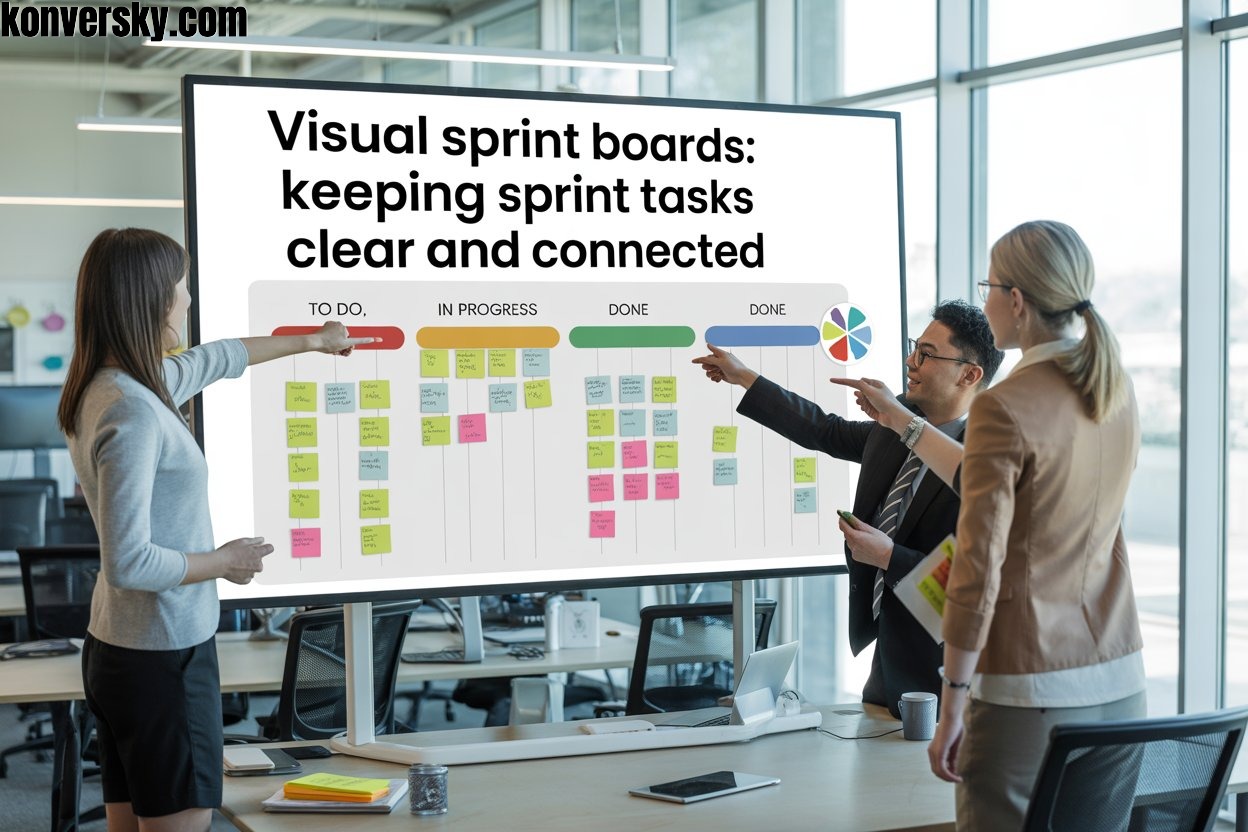
Visual Sprint Boards: Keeping Sprint Tasks Clear and Connected
Introduction
In agile project management, sprint boards have become indispensable tools for teams seeking efficiency and clarity. These boards visually display all tasks, deadlines, and priorities, allowing everyone to quickly understand what needs attention. Without a clear system, teams often spend valuable time searching for updates or trying to figure out what comes next. A visual sprint board eliminates this confusion by organizing work in a simple, intuitive layout. Each task is represented as a card or item, making progress instantly visible. This approach ensures that no task is overlooked, and every team member knows exactly what to focus on at any moment.
However, clarity alone does not guarantee smooth progress. Connectivity between tasks is equally critical. Visual sprint boards help teams see how individual tasks relate to one another, highlighting dependencies, hand-offs, and potential bottlenecks. When tasks are connected, team members can anticipate delays and adjust workloads accordingly. It also ensures that collaboration remains seamless, as everyone understands how their work impacts the bigger picture. Teams no longer operate in isolation; instead, each task fits into a larger, coordinated workflow. This visibility fosters accountability, reduces misunderstandings, and makes problem-solving faster and more effective.
Combining clarity and connectivity, visual sprint boards transform complex projects into manageable workflows. They turn abstract plans into tangible steps, allowing teams to track progress in real time and adjust quickly when priorities shift. By keeping tasks organized and connected, these boards improve efficiency, enhance collaboration, and help teams meet deadlines consistently. Beyond simple task tracking, they serve as communication hubs, bringing teams together and aligning efforts toward shared sprint goals. In today’s fast-paced work environment, where projects are increasingly dynamic and interdependent, visual sprint boards are no longer optional—they are essential tools that keep teams focused, informed, and successful.
What Are Visual Sprint Boards?
Visual sprint boards are essential tools in agile project management that help teams organize tasks and track progress efficiently. They provide a clear, visual representation of all work items, making it easy to see what needs attention at any moment. Each task is represented as a card or note, which can include details such as the task owner, priority, deadline, and status. By laying out tasks visually, teams can quickly understand what is happening, what is pending, and which items require immediate focus. This visibility reduces confusion and helps teams maintain a steady workflow throughout the sprint. There are two main types of visual sprint boards: physical and digital.
Physical boards often use whiteboards, sticky notes, or magnetic cards. They are tangible, easy to update, and encourage face-to-face collaboration. Teams can walk by the board, discuss tasks, and move items as progress is made. Digital boards, on the other hand, are software-based tools like Trello, Jira, Asana, or ClickUp. These boards are perfect for remote or distributed teams. They allow tasks to be updated in real time, provide notifications, and often include features such as attachments, comments, and progress tracking. While physical boards promote team interaction in person, digital boards offer flexibility, automation, and easier management for complex projects.
Visual sprint boards do more than display tasks; they help teams understand workflow, prioritize work, and monitor progress continuously. Columns such as “To Do,” “In Progress,” and “Done” provide a clear path for each task. Teams can spot bottlenecks, adjust priorities, and ensure no work falls through the cracks. They also foster accountability, as it is clear who is responsible for each task. By transforming abstract plans into visible steps, visual sprint boards improve collaboration, enhance efficiency, and make project management more predictable. Whether physical or digital, they serve as a central hub for all sprint activity, keeping teams aligned, focused, and ready to meet their goals successfully.
The Importance of Keeping Sprint Tasks Clear
Teams often face major challenges when sprint tasks are not clearly defined. Missed deadlines, overlapping work, and workflow bottlenecks can happen quickly. Without clear tasks, team members may waste time figuring out priorities instead of completing work. Confusion can spread across the team, reducing productivity and causing unnecessary stress. A lack of clarity makes it harder to track progress, assign responsibilities, or anticipate delays. Visual sprint boards help solve these problems by providing an organized, easily accessible view of all tasks. With clear tasks, teams can focus on work rather than chasing information. Clarity in sprint tasks brings multiple benefits.
Team members understand exactly what they are responsible for and what needs to be done first. Accountability naturally increases because ownership is visible. Focus improves as teams can concentrate on completing one task at a time. Efficiency grows because managers and teams can quickly identify areas that need attention or adjustment. Meetings become more purposeful, and updates are easier to communicate. In short, clear sprint tasks make the workflow predictable and help teams deliver results faster while reducing errors or missed deadlines. Visualization plays a key role in improving team performance.
When tasks are clearly displayed on a visual sprint board, progress is easy to track, and potential bottlenecks are immediately visible. Teams can adjust workloads and priorities as needed. For example, a software development team reduced missed deadlines by tracking tasks visually, while a marketing team improved campaign efficiency through clear task ownership and priorities. Clear visualization encourages collaboration, improves communication, and motivates teams to complete work on time. It transforms abstract plans into actionable steps, making projects more manageable and predictable. Overall, keeping sprint tasks clear ensures that teams stay aligned, productive, and confident, even when projects are complex or deadlines are tight.
Ensuring Tasks Stay Connected
Task connectivity is critical in agile projects to maintain a smooth workflow. It involves understanding task dependencies, managing hand-offs, and consistently tracking progress. Without this knowledge, delays in one task can ripple across the entire sprint. Hand-offs ensure that when one team member finishes work, the next person can continue without confusion. Progress tracking allows the team to spot delays and address them quickly. When tasks are not connected, work can get overlooked, duplicated, or blocked, which affects deadlines and team morale.Visual sprint boards are an effective way to link tasks and prevent them from falling through the cracks.
Boards display all tasks visually, showing their order and relationships. Color-coding and tags highlight priorities, dependencies, and ownership, making responsibilities clear. When tasks move across the board, teams immediately see which items are waiting on others. This visibility ensures coordination, improves communication, and helps prevent missed deadlines. By making task connections obvious, visual boards reduce confusion and increase efficiency. Teams can respond quickly to changes and make necessary adjustments without losing sight of overall progress. Maintaining task continuity requires consistent practices and attention.
Regularly updating the board ensures all information is current and reliable. Clear labels and tags indicate priorities, dependencies, and task owners. Short daily check-ins confirm that hand-offs are completed and progress is on track. Making boards accessible to everyone, whether physical or digital, keeps all team members informed. These strategies maintain visibility and alignment across the sprint. By keeping tasks connected, teams avoid bottlenecks, enhance collaboration, and complete work more efficiently. Visual sprint boards transform abstract tasks into a structured workflow, allowing teams to stay organized, focused, and confident throughout the sprint.
Key Components of an Effective Visual Sprint Board
An effective visual sprint board is built on several essential components that improve clarity, organization, and team collaboration. Columns form the backbone of the board and represent different stages of work. Common examples include “Backlog,” “In Progress,” “Review,” and “Done,” though they can be customized to match a team’s workflow. Columns allow teams to see the progress of tasks at a glance and identify where work may be accumulating. By providing a structured layout, columns reduce confusion, help prioritize tasks, and make it easy to track progress throughout the sprint. Cards are another key component of a visual sprint board.
Each card represents a single task and typically includes details such as task owner, description, deadline, and priority. Cards make responsibilities clear, allowing teams to see exactly who is handling each task. They also make it easy to update status, add notes, or attach relevant files. Tags and color-coding enhance the board further by highlighting task types, urgency, or team assignments. These visual cues allow team members to quickly identify which tasks require immediate attention and which are lower priority. By combining cards with clear labels, teams can reduce miscommunication and ensure that work moves efficiently through each stage of the sprint.
Swimlanes add another layer of organization and clarity. They are horizontal or vertical sections on the board that separate tasks by team, project, priority, or work stream. Swimlanes help teams focus on specific categories of work without losing sight of the overall progress. When columns, cards, tags, color-coding, and swimlanes are used together, the board becomes a powerful tool for managing tasks visually. It enhances accountability, improves collaboration, and allows teams to identify bottlenecks quickly. A well-structured visual sprint board transforms abstract project plans into clear, actionable steps, helping teams stay aligned, meet deadlines, and achieve their sprint goals efficiently.
Best Practices for Using Visual Sprint Boards
Keeping a visual sprint board simple and intuitive is essential for effective workflow management. Avoid overloading the board with unnecessary details or excessive columns. Focus on the key stages that reflect your team’s process, such as “Backlog,” “In Progress,” “Review,” and “Done.” Use clear cards to represent tasks and ensure each card contains only relevant information. A clean layout allows team members to see priorities at a glance and move tasks efficiently. Simplicity reduces confusion, saves time, and helps teams maintain focus on high-value work without distraction. Regular updates are critical to maintaining accuracy and reliability.
Teams should review and update the board daily to reflect real-time progress. Moving tasks between columns, adjusting priorities, and marking completed items keeps the board current. This practice ensures everyone on the team understands the status of all tasks and can respond quickly to changes. Real-time updates help prevent bottlenecks and allow for faster problem-solving. Teams can spot delays early, redistribute work, and maintain consistent momentum throughout the sprint. A board that is regularly updated becomes a trusted source of information, improving communication and efficiency. Encouraging collaboration and accountability strengthens the board’s effectiveness further.
Team members should actively discuss tasks during daily stand-ups, provide updates, and offer support when needed. The board should be aligned with sprint goals and integrated into team rituals like sprint planning and reviews. Using tags, color codes, and visual indicators helps clarify task ownership and priorities, making responsibilities transparent. Collaboration ensures that everyone is engaged and accountable, reducing misunderstandings and improving team cohesion. By combining simplicity, real-time updates, and active collaboration, visual sprint boards transform into powerful tools that enhance productivity, track progress, and help teams consistently achieve sprint goals while maintaining alignment and focus.
Common Pitfalls and How to Avoid Them
One of the most common pitfalls in using visual sprint boards is overcomplicating them with too many details. Teams sometimes add excessive columns, cards, or labels, thinking it improves clarity. In reality, cluttered boards confuse team members and make it harder to track progress. To prevent this, focus only on essential tasks, key stages, and meaningful visual cues. Keep columns like “Backlog,” “In Progress,” and “Done,” and avoid adding unnecessary layers. Use concise card descriptions, clear deadlines, and priority indicators. A simple, well-organized board allows everyone to understand the workflow at a glance and take action without hesitation.
Another major issue is not updating tasks or statuses consistently. When boards are outdated, progress becomes unclear, and responsibilities can be misunderstood. This often leads to missed deadlines, duplicated work, and confusion during team meetings. To address this, encourage team members to update the board daily or whenever a task changes. Moving cards across columns, adjusting priorities, and marking completed tasks ensures that the board reflects real-time progress. Regular updates create transparency, foster accountability, and help teams identify delays early, allowing corrective action before issues escalate. Ignoring task dependencies and hand-offs is also a frequent problem.
Without clearly marked connections between tasks, work can stall, overlap, or fall through the cracks. Bottlenecks may occur, affecting overall sprint progress. To avoid this, highlight dependencies using tags, colors, or visual links. Track hand-offs during daily stand-ups and sprint planning sessions to ensure smooth transitions. Teams should review workflow connections regularly and address potential delays proactively. By tackling these common pitfalls, teams maintain clarity, improve collaboration, and enhance overall efficiency. A well-managed visual sprint board not only keeps tasks organized but also strengthens communication, accountability, and performance across the entire sprint.
Tools and Options for Visual Sprint Boards
Visual sprint boards can be implemented in two main formats: physical and digital. Physical boards include whiteboards, sticky notes, and magnetic cards. They are simple, tangible, and easy to understand at a glance. Team members can walk by the board, move tasks, and discuss priorities in real time. Physical boards encourage direct, face-to-face collaboration and help the team stay engaged during daily stand-ups. They are especially effective for co-located teams, where members work in the same office space. However, physical boards have limitations. They are less effective for remote or distributed teams, and tracking historical changes can be difficult. Digital boards offer flexibility and functionality that physical boards cannot always provide.
Tools such as Trello, Jira, ClickUp, and Asana allow tasks to be updated in real time from anywhere. Teams can add attachments, leave comments, set deadlines, and receive notifications automatically. Digital boards make it easier to track dependencies, visualize workflow, and analyze performance metrics. They also allow team members to access the board simultaneously, ensuring everyone has the latest updates. The main challenges with digital boards are the learning curve for new users and the need for consistent access to the software. Some teams may also find that too many features create unnecessary complexity. Choosing the right board depends on the team’s size, location, and workflow requirements.
Small, co-located teams may benefit more from physical boards for hands-on interaction. Remote or larger teams often find digital boards more effective for tracking and collaboration. Many teams adopt a hybrid approach, using physical boards for daily stand-ups and digital boards for overall project tracking. When deciding, consider factors such as visibility, ease of updating tasks, collaboration needs, and integration with other tools. A well-chosen board, whether physical, digital, or hybrid, helps maintain task clarity, connectivity, and accountability throughout the sprint. By selecting the right option, teams can enhance organization, communication, and efficiency from planning to completion.
Measuring the Impact of Visual Sprint Boards
Measuring the impact of visual sprint boards is crucial to understanding team performance and efficiency. Teams can track productivity by observing how many tasks are completed within each sprint. Sprint completion rates provide insight into how effectively the team meets its planned goals. Team satisfaction can be gauged through surveys, feedback sessions, or quick check-ins. Together, these metrics offer a comprehensive view of how well the board supports workflow, collaboration, and overall project success. Regular measurement ensures that the board remains a valuable tool rather than a static display. When used effectively, visual sprint boards often lead to measurable improvements.
Teams report faster task completion and fewer missed deadlines due to clearer task visibility. Bottlenecks become obvious, allowing managers and team members to reassign tasks or adjust priorities quickly. For instance, a software development team reduced overdue tasks by tracking dependencies visually, while a marketing team improved campaign accuracy by monitoring workflow stages. By making tasks and their connections visible, boards enhance accountability, reduce confusion, and streamline communication. Teams can respond faster to challenges, maintain consistent momentum, and achieve sprint goals more reliably. Continuous improvement is another major benefit of tracking board metrics.
Teams can analyze completion rates, productivity trends, and satisfaction feedback to identify areas that need enhancement. Adjusting column stages, introducing color-coded tags, or reorganizing cards based on insights can further increase efficiency. Regular review and adaptation ensure the sprint board evolves with the team’s workflow. Over time, these practices foster stronger collaboration, higher output, and more predictable results. Visual sprint boards become more than task trackers; they act as dynamic tools for learning, optimizing performance, and driving consistent improvement across every sprint. By measuring their impact, teams can maximize both productivity and team satisfaction, ensuring long-term success.
Conclusion
Clarity and connectivity are the foundation of effective sprint management. When tasks are clearly defined, teams understand what needs to be done and can focus on priorities without confusion. Connected tasks reveal dependencies and hand-offs, preventing bottlenecks and missed deadlines. Teams that maintain both clarity and connectivity move through sprints more efficiently. Each member knows their responsibilities, and the workflow becomes predictable. Clear, connected tasks reduce errors, save time, and improve overall team morale. Visual sprint boards are essential tools for supporting this clarity and connectivity. They provide a visual overview of all tasks, priorities, and progress in real time.
Boards make updates visible to everyone, enhancing communication across the team. They also highlight dependencies and potential bottlenecks, allowing teams to adjust quickly. Using columns, cards, tags, color-coding, and swimlanes, teams can structure work in an organized and intuitive way. When teams actively use and maintain their boards, they experience increased efficiency, better collaboration, and higher accountability. Visual boards transform abstract plans into actionable steps, helping teams stay aligned with sprint goals and project objectives. To achieve the best results, teams should regularly evaluate and optimize their visual sprint boards.
Adjust column stages, refine tags, and update cards consistently to reflect current progress. Encourage team discussions during daily stand-ups and sprint reviews to reinforce alignment and accountability. Teams can experiment with layouts or features that improve clarity and connectivity. Even small adjustments can significantly enhance workflow, collaboration, and performance. By focusing on optimizing their boards, teams ensure tasks remain clear, connected, and manageable. Visual sprint boards then become more than a task-tracking tool—they become a central hub for planning, communication, and continuous improvement, helping teams achieve success consistently and efficiently.
